Why I'm learning Edge AI
Have you ever wondered why your phone can find the faces in your photos with no internet at all? The phone carries a small trained model, and a chip built to run it, so the work happens right there in your hand.
I want to get deeper into Edge AI. This project is my first step.
It’s the LLM era. I am a software engineer, and writing software soon won’t be enough. We need a wider experience. So I’ve been learning what’s around it too: electronics, microcontrollers (ESP32, STM32), FPGAs and PyTorch.
Why not just call the cloud?
You can send every camera frame to a cloud API and get the answer back. We all know the price: every frame is a round trip over the network, and every frame is on the bill.
Even worse, every frame is a picture of people, maybe of your home, sent to someone else’s computer. Once it has left your device, you no longer control who sees it.
Running the model on the device itself avoids all three. It has its own price, battery and heat, but that’s a story for later. That’s what Edge AI means. This diagram shows the trade-offs better than I can.
The project
I have a working project. It was pretty much all written using an LLM. It works great.
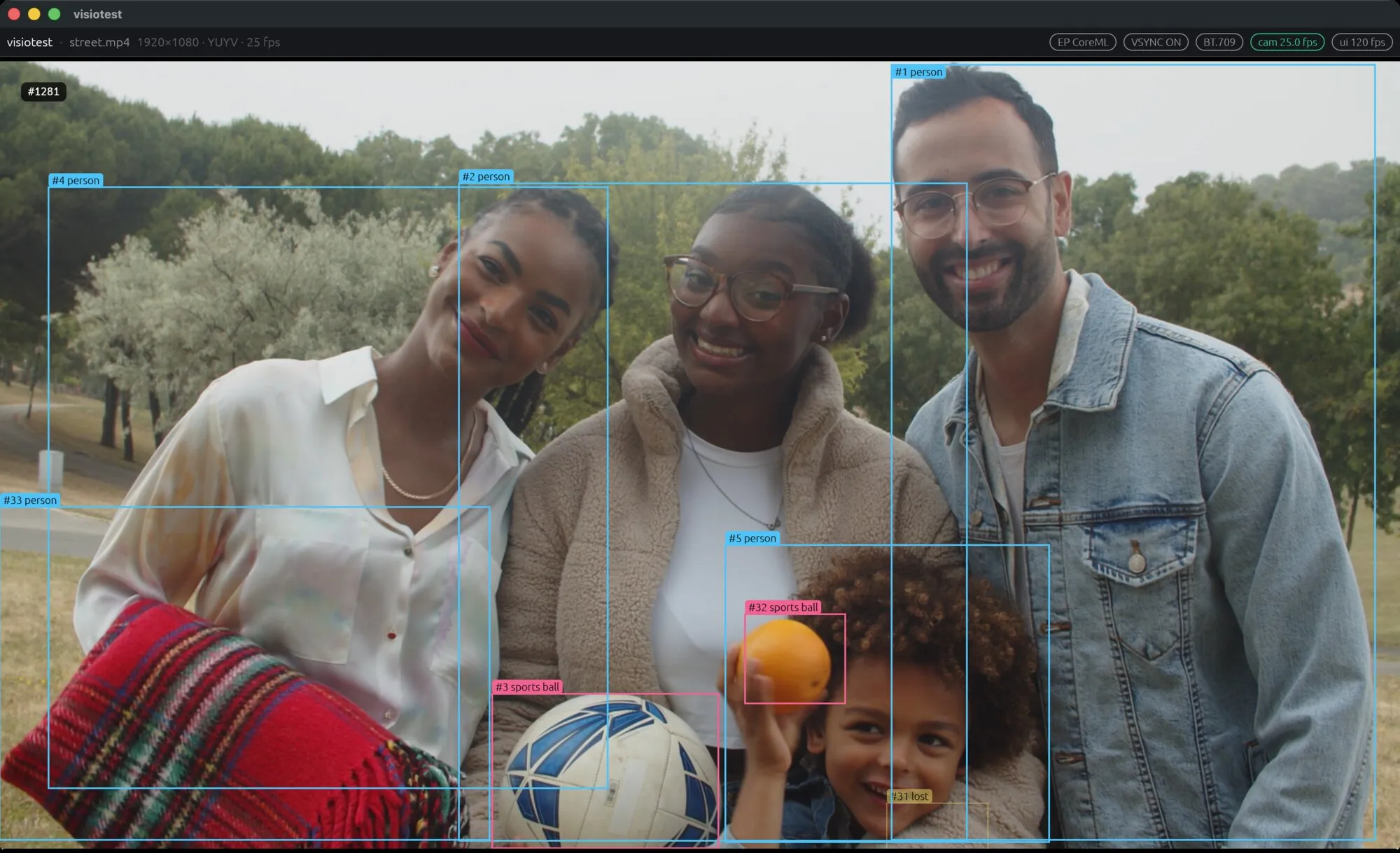
It takes my MacBook’s webcam, finds people and objects in every frame with a small neural network, and draws a box around each of them. It does a few more things than that. I’ll get to them later.
Why a webcam and a laptop? The easiest route. All you need is a MacBook.
Why read code an AI wrote?
My plan is to go over the code to learn things that are new to me (probably many). I haven’t read the code closely yet. There is a lot of code.
In this LLM era, code is getting cheaper. I want to understand the principles, probably from the very bottom. That is interesting and exciting, especially if it is a new field for you.
I am driven by curiosity. How does it work? What is the “YUYV format”, and why does it exist at all? What is a “Kalman filter”, where is it used, why here, and what are the alternatives? Each of these could be a full blog post, or several.
One example. The camera sends frames in its own format (that YUYV again), not as a picture the screen can show. visiotest doesn’t touch them: it moves them to the GPU as they are, and the GPU turns them into something the screen understands. The CPU could do that work too, but the GPU is much faster at it. How? Can you really program a GPU? Is it hard? Let’s explore!
How I’ll learn it
I’m not teaching. I’m learning, step by step, and sharing it.
I noticed it is very helpful to learn about new concepts on vectree.io. It has nice explanations and animations. So every post will have diagrams like this one, and you can click any part of it to read more:
(Vectree is my side project.)
The project is written in Rust, but the code is secondary. The principles matter. When the code is the interesting part, I’ll show a few lines and link to them on GitHub.
I’ll go slow. The road from light hitting the camera to a box on the screen is long, and this map of it is the general version. A webcam feeding my program skips its middle part (compressing, storing, sending), and that alone is something we can explore in future posts. At the end of the road are boxes, classes and confidence scores.
Try it
Needs a Mac with Apple silicon, Rust and uv.
git clone https://github.com/martinserts/visiotest
cd visiotest
# export the model once (needs uv), then:
cd model-export && uv run export.py && cd ..
cargo run --release
Stand in front of the camera and you get a box. No camera? Play a video file instead (needs ffmpeg):
cargo run --release -- --video some.mp4The README has the details.
Next
It all starts with light hitting a tiny chip. How does light become a number?